Skip to content
  • Guide TYPO3
  • Login / Account
  • Functions / Extensions
  • Audio / Video
  • Terms of Use
  • FAQs
  • de
  • en
  • Central Information Technology (TYPO3-Team)
  • IT Service Center (ITSZ)
  • Technical University of Munich
Technical University of Munich
  • Home
  • News from TYPO3 Team
  • Webpool
    • Non-faculty institutions
    • TUM School of CIT
    • TUM School of ED
    • TUM School of LS
    • TUM School of MGT
    • TUM School of MH
    • TUM School of NAT
    • TUM School of SOT
    • TUM Graduate School (GS)
    • Integrative Research Institutes (IRI)
    • Technology Core Facilities (TCF)
    • Corporate Research Centers
    • Munich School of Politics and Public Policy
    • TYPO3 Web-Archive
  • Service
    • Offer
    • Terms of use
    • Requirement
  • Documentation
    • TYPO3 basics
      • Terms
      • Module bar
      • Page tree
      • Filelist
      • Recycler
    • User management
      • Registration and login
      • Permission concept
      • Groupdelegation
    • Pages
      • Page types
      • Create a page
      • Visibility
      • Order pages
      • Delete pages
      • Scheduled publishing
      • Page layout
    • Content elements
      • Page content types
      • Create Page content
      • Headers
      • Text & Media
        • Images
        • Image gallery
        • Slideshow
        • Alternative text for images
        • Image cropping
      • Audio & video
        • Embedding audio files
        • Embedding videos
      • Tables
      • File Links
      • Menu
      • Insert records
      • Rich Text Editor (RTE)
      • Adding links
        • Manage anchors
      • Spacing between content elements
      • Multi-column content
      • Accordion Functionality
      • Frames & Boxes
      • Social Media Box
    • Extensions
      • CurlContent
      • TUM MemberList
      • TUMcourses
      • TUMvCard
      • News
      • TUMFIS
      • T3UP Carousel
      • iframe with consent
    • English version
    • Contact area
    • Accessible content
    • Legal matters
    • Maps
      • Maps with Google Maps
      • Maps with BayernAtlas
  • FAQs
  • Contact
  • Sitemap
  1. Home
  2. Documentation
  3. Content elements
  4. Tables

Content element "Table"

The use of the content element "Table" is only advisable if you intend to fill your table with multiple images. Due to considerations such as usability and accessibility, please use tables with the RTE.

  • Create content element
  • Insert table content
  • Insert images
  • Table layout
  • Example

Create content element

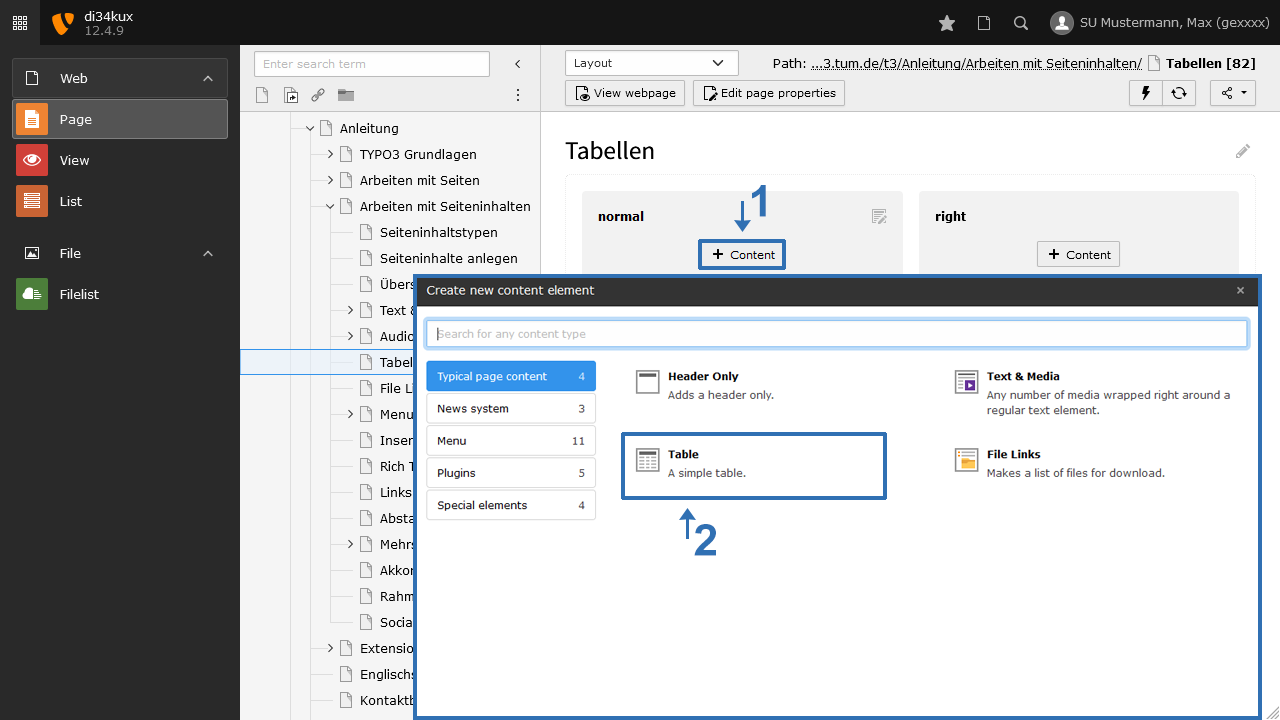
Screenshot: Content element "Table"
Image 1: Content element "Table"
  • Create a new content element with Type "Table" (Image1).

Insert table content
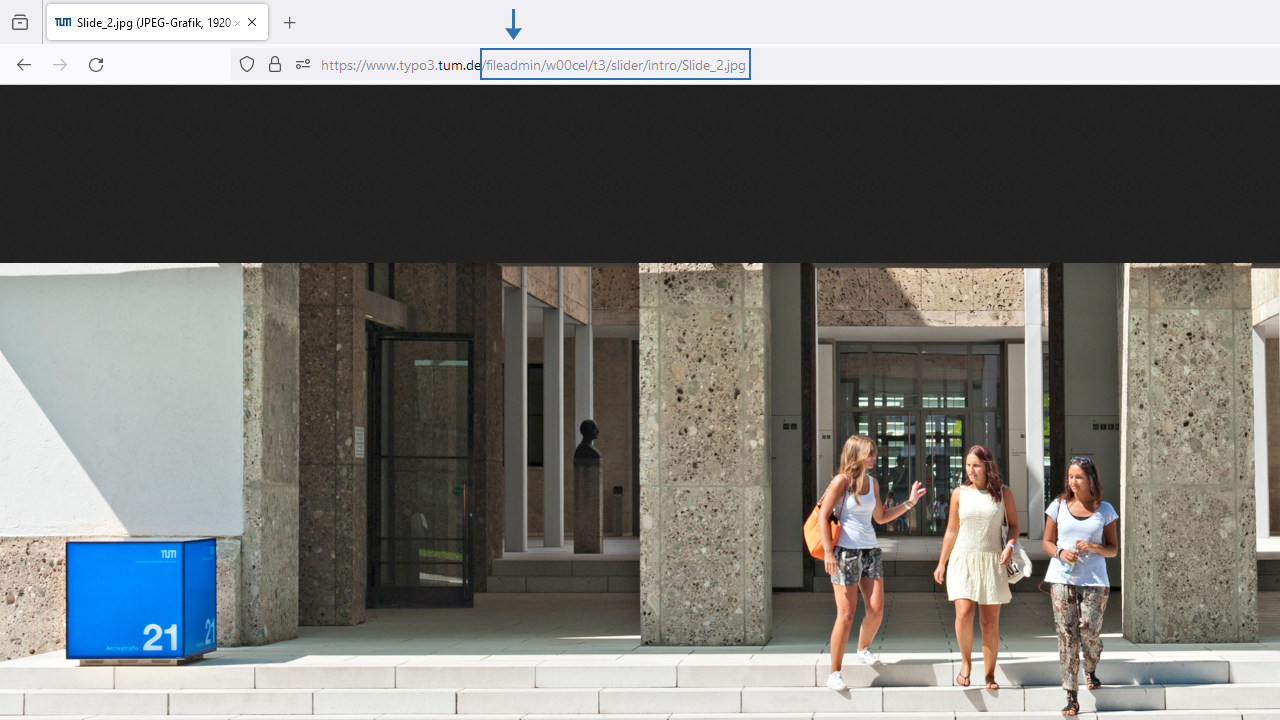
Screenshot: Table content
Image 2: Table content
  • With the available icons, you can insert/delete rows/columns or change the order (Image 2).  

Additional Option:  

  • Table Caption: Enter the caption for the table here. Use this field for a summary of the table content in terms of accessibility.

Insert images

To insert images into a table, they must first be saved in the file list. This step must be completed before proceeding to place the images in the table:

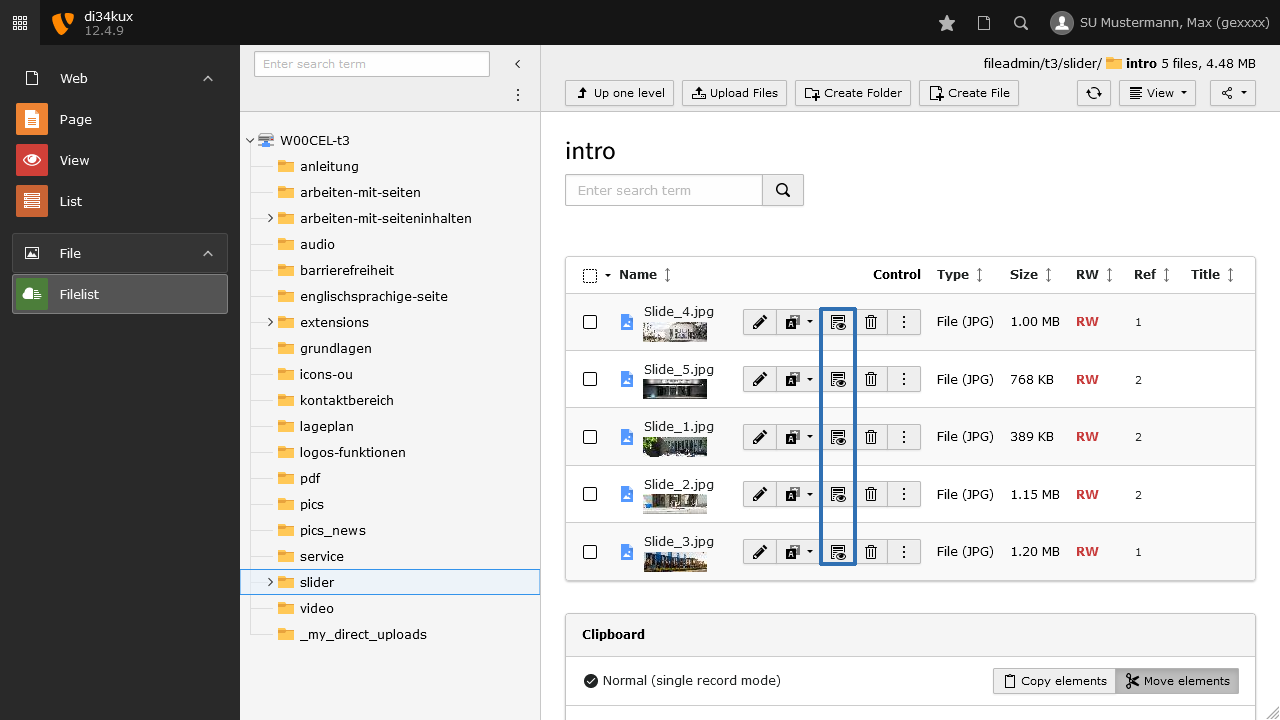
  • Access the file list.
  • Open the image in the browser by clicking the “Show” icon (Image 3)
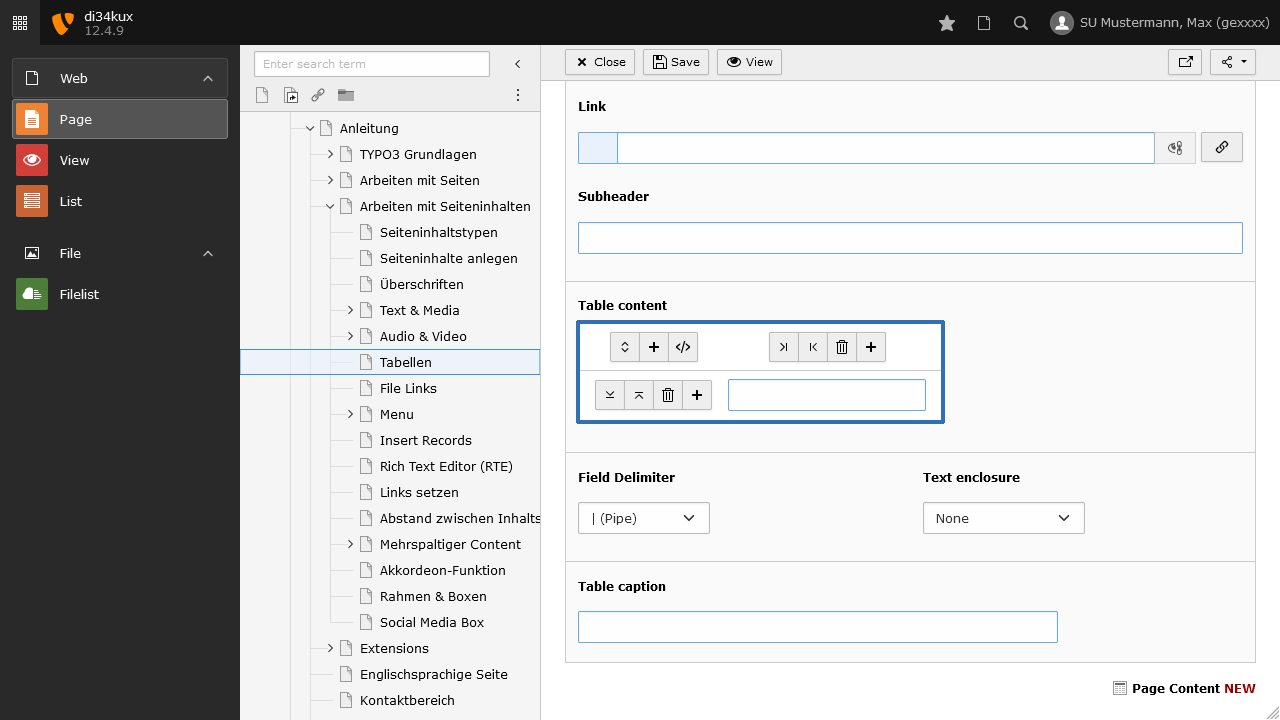
  • Copy the highlighted part of the URL, and insert the image path (here is an example) /fileadmin/w00cel/t3/slider/intro/Slide_2.jpg and the alternate text Example Image into the following HTML code:     
    <img src="/fileadmin/w00cel/t3/slider/intro/Slide_2.jpg" alt="Example Image">
  • Copy the entire code within the angle brackets and paste it into the desired cell.
Screenshot: Show path
Image 3: Show path
Screenshot: Copy path
Image 4: Copy path

Table layout

Screenshot: Table layout
Image 5: Table layout

The table layout can be selected in the "Appearance" tab (Image 5). 

Table Styles:   

  • Gitternetz (Grid)   
  • Horizontal lines   
  • Bordered

All styles are responsive.  

Example

Example: Table with grid
Name Direct dialing Email Image
Mr. Mustermann -7647474 max.mustermann@tum.de Herr Mustermann
Mrs. Mustermann -7647473 max.mustermann@tum.de Frau Mustermann
To top

TYPO3 News

14.04.2026

TUMFIS is now available (Open Beta)

23.03.2026

Structured Data and JSON‑LD available

25.02.2026

New functions: Image cropping and Anchor links

21.01.2026

New Security Concept - User Accounts

01.08.2025

We are in OTRS!

RSS Feed

TUM TYPO3 (ZIT)

Richard-Wagner-Str. 18
80333 München
typo3@tum.de

  • Privacy
  • Imprint
  • Accessibility