Change visibility
- Select the corresponding page in the page tree.
- By right-clicking the page name or clicking the icon next to it, the context menu opens.
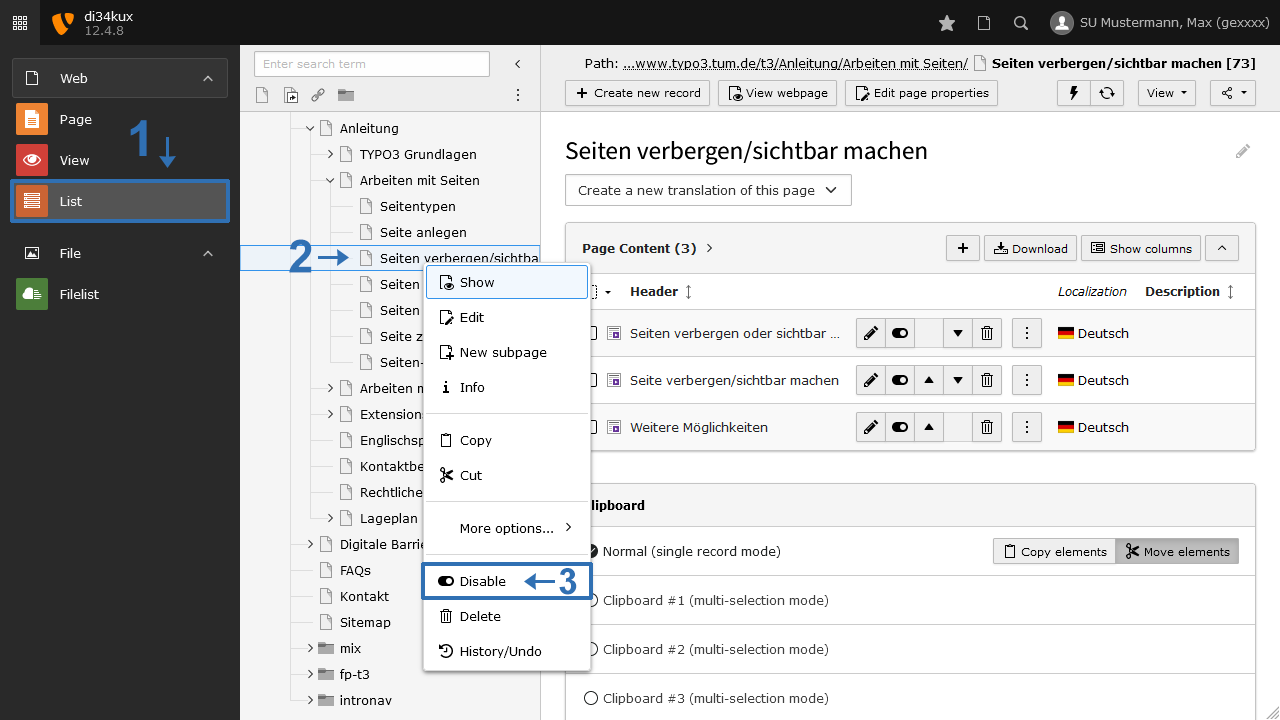
- Choose the entry "Disable", and the page will no longer be displayed (Image 1, No. 3). Select the entry "Enable", and the page will be displayed again.
Further possibilities
There are other ways to display or hide the page:
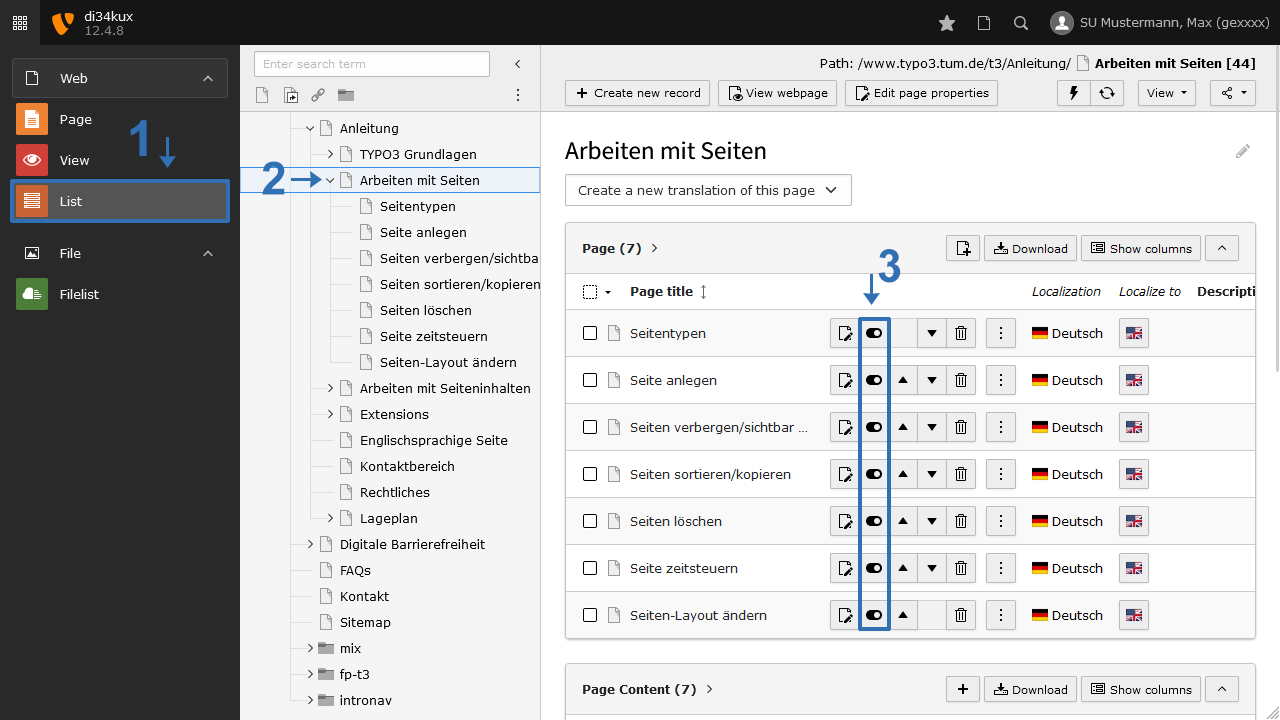
- In the overview of pages and content elements, you will also find the “Disable” icon to turn it on or off (Image 2, No. 3).
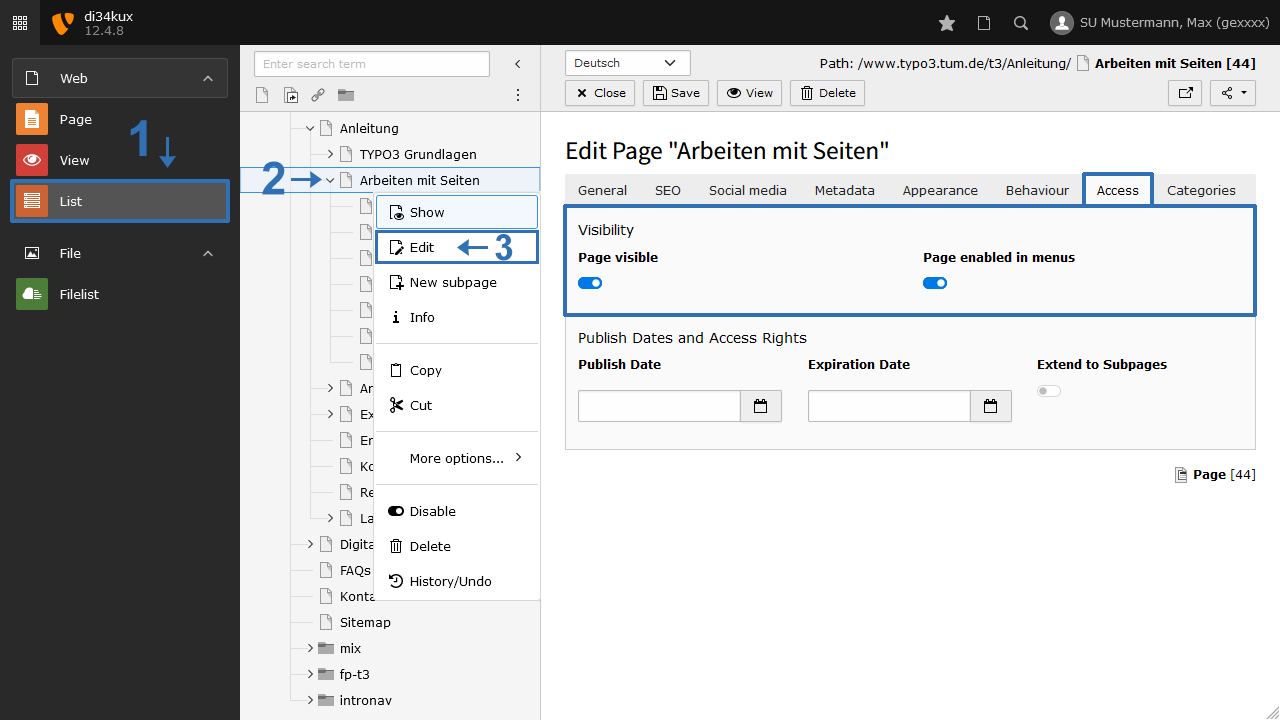
- Another option is available when you edit the page properties ("Edit page"). In the “Access” tab, deactivate the “Page visible” option (Image 3).