Skip to content
  • Guide TYPO3
  • Login / Accounts
  • Functions / Extensions
  • Audio / Video
  • Digital Accessibility
  • Terms of Use
  • FAQs
  • de
  • en
  • Central Information Technology (TYPO3-Team)
  • IT Service Center (ITSZ)
  • Technical University of Munich
Technical University of Munich
  • Home
  • Our Webpool
    • Non-faculty institutions
    • TUM School of CIT
    • TUM School of ED
    • TUM School of LS
    • TUM School of MGT
    • TUM School of MH
    • TUM School of NAT
    • TUM School of SOT
    • TUM Graduate School (GS)
    • Integrative Research Institutes (IRI)
    • Technology Core Facilities (TCF)
    • Corporate Research Centers
    • Munich School of Politics and Public Policy
    • TYPO3 Web-Archive
  • Service
    • Scope
    • Sie wollen eine Webseite?
    • Terms of Use
    • Requirement
  • Documentation
    • TYPO3 Basics
      • Terms
      • Module bar
      • Side tree
      • Filelist
      • Registration and login to the backend
      • Permissions concept
        • Groupdelegation
    • Working with Pages
      • Page types
      • Create a page
      • Hide/show pages
      • Sort/copy pages
      • Delete pages
      • Scheduled publishing
      • Change page layout
    • Working with Page content
      • Page Content types
      • Create Page content
      • Headers
      • Text & Media
        • Images
        • Image gallery
        • Slideshow
        • Alternative text for images
      • Audio & Video
        • Embed audio files
        • Embed video
      • Tables
      • File Links
      • Menu
      • Insert Records
      • Rich Text Editor (RTE)
      • Adding Links
      • Spacing between Content elements
      • Multi-column Content
      • Accordion Functionality
      • Frames & Boxes
      • Social Media Box
    • Extensions
      • CurlContent
      • TUM MemberList
      • TUMcourses
      • TUMvCard
      • News
      • iFrame with consent
      • T3UP Carousel
    • English Version
    • Contact Area
    • Legal Matters
    • Maps
      • Maps with Google Maps
      • Maps with BayernAtlas
  • Digital Accessibility
    • Quick Start for Editors
    • Simple language
  • FAQs
  • Contact
  • Sitemap
  1. Home
  2. Documentation
  3. Extensions
  4. T3UP Carousel

Slideshow with "T3UP Carousel"

"T3UP Carousel" is a accessible slideshow.

Preparation

  • The slideshow requires at least 2 images (.png, .jpg, or .webp).
  • Create the images with the same width and height before uploading them to the website’s filelist.
  • For layouts with a right column, the maximum image width is 936 pixels.
  • For layouts without a right column, the maximum image width is 1176 pixels.
  • A maximum of 15 images can be added per slideshow.
  • For an intro page (e.g., www.typo3.tum.de/t3/intro/), images should be no wider than 2500 pixels and no higher than 750 pixels.
  • PDF files are not suitable for the slideshow.

Add a Slideshow / Carousel

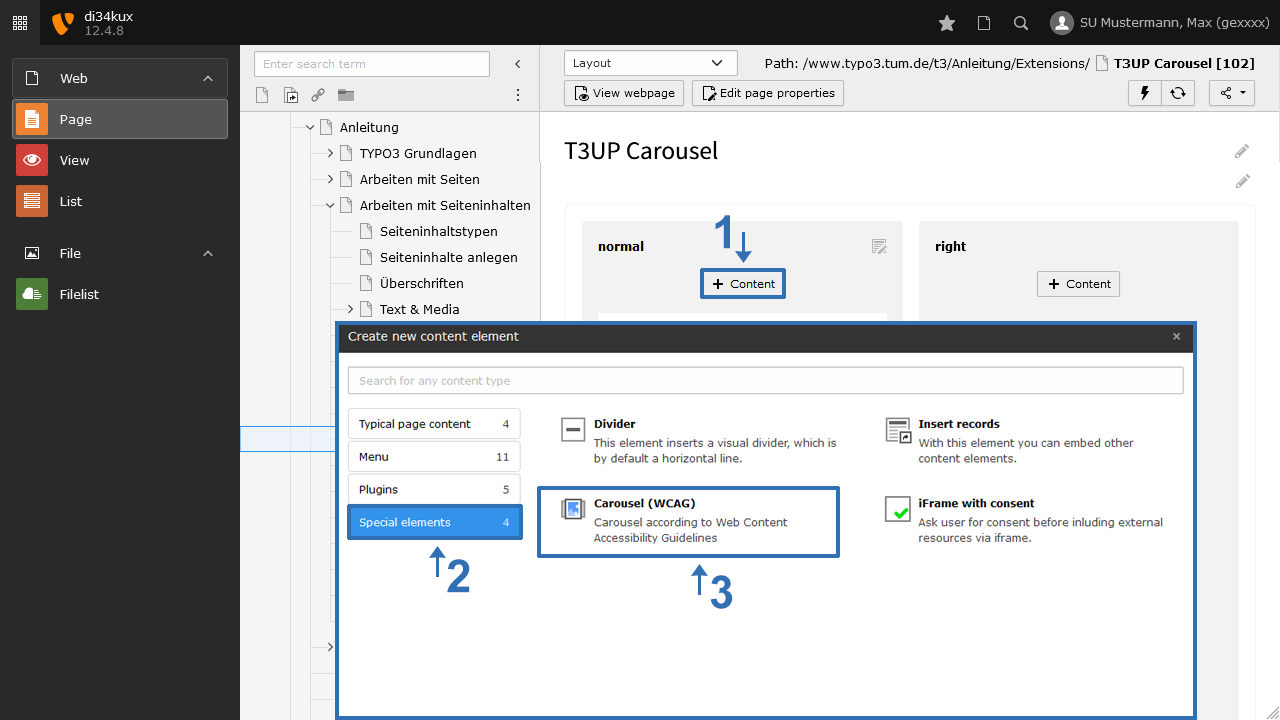
  • Create a new content element of type “Carousel” (Image 1).
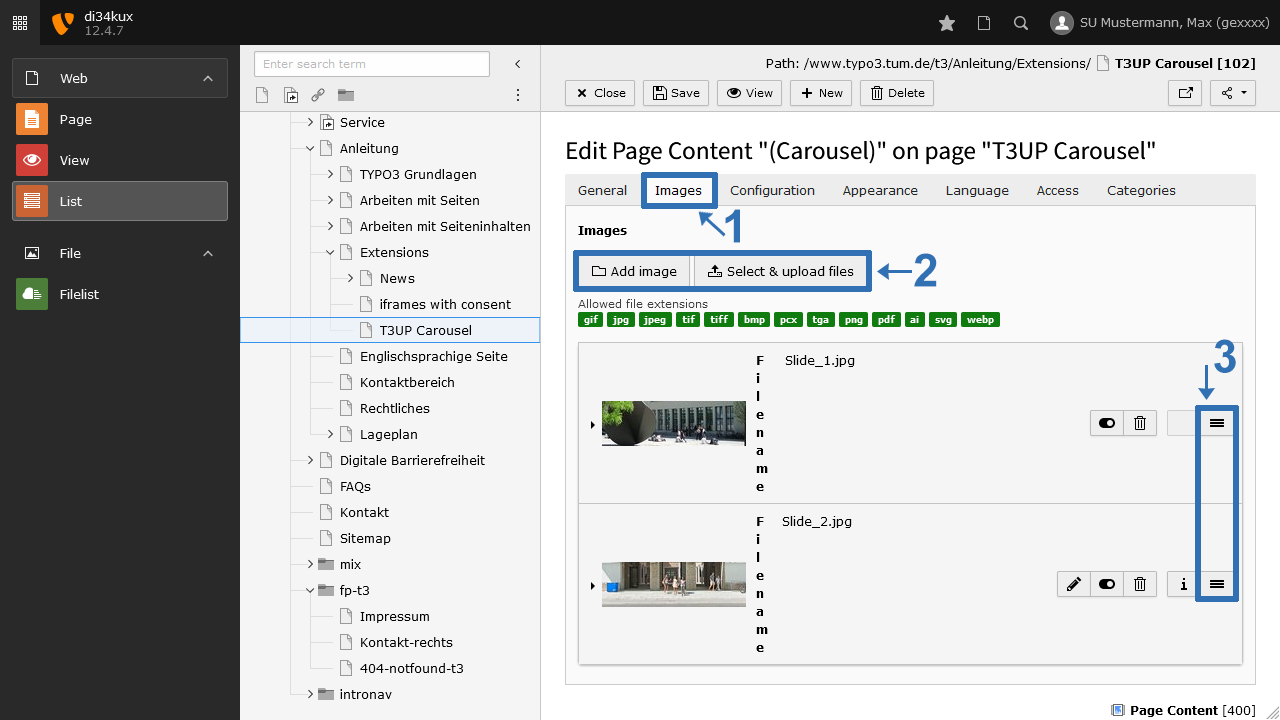
  • Now add the images. To do this, click "Add image" in the Images tab (Image 2 No. 2).
  • You can change the order of the images using drag & drop: Click and hold the handle (Image 2 No. 3) and drag the image to the desired position.
Screenshot: Content Element "Carousel"
Image 1: Content Element "Carousel"
Screenshot: Add Images
Image 2: Add Images

Add Title & Description

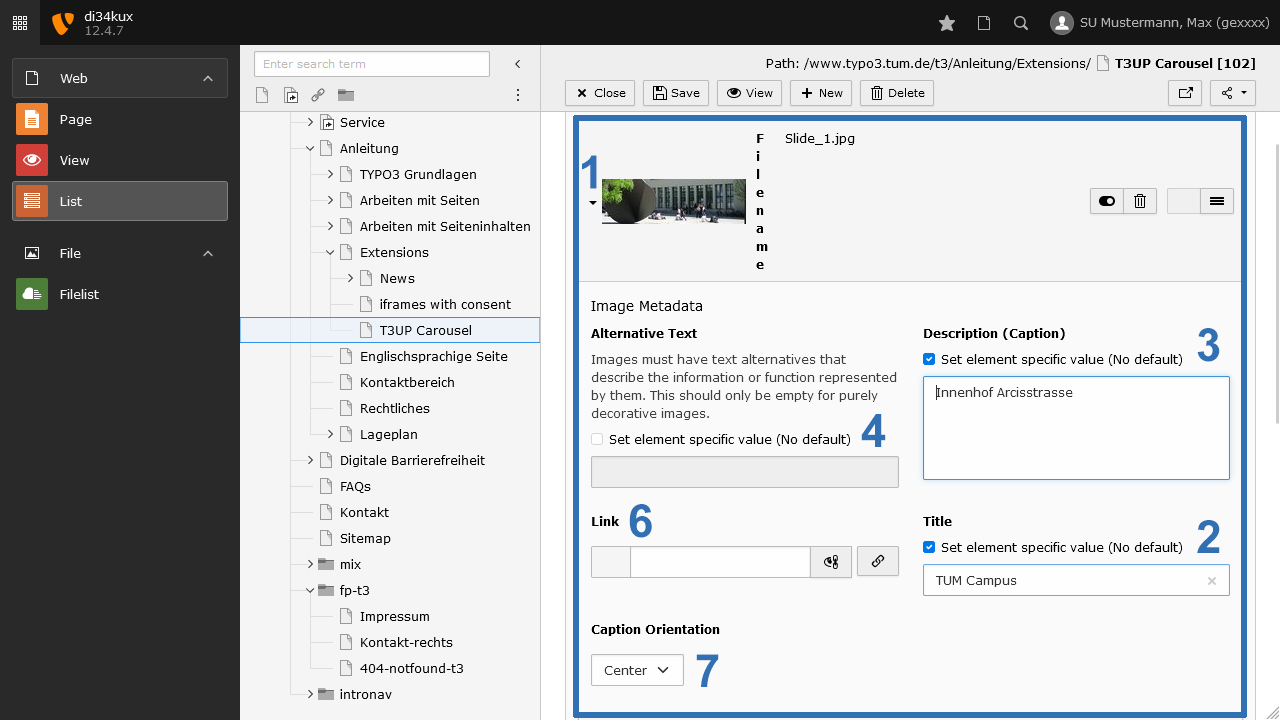
Screenshot: Image Metadata
Image 3: Image Metadata
  • If you enter a Title (heading) and a Description (text) (Image 3 No. 2+3), these texts will appear as image captions (see examples at the bottom of the page).
  • Please remember to fill in the alternative text for accessibility (Image 3 No. 4).
  • You can also set the text alignment (Image 3 No. 7).
  • You can assign an individual link for each image (Image 3 No. 6).

Plugin Options

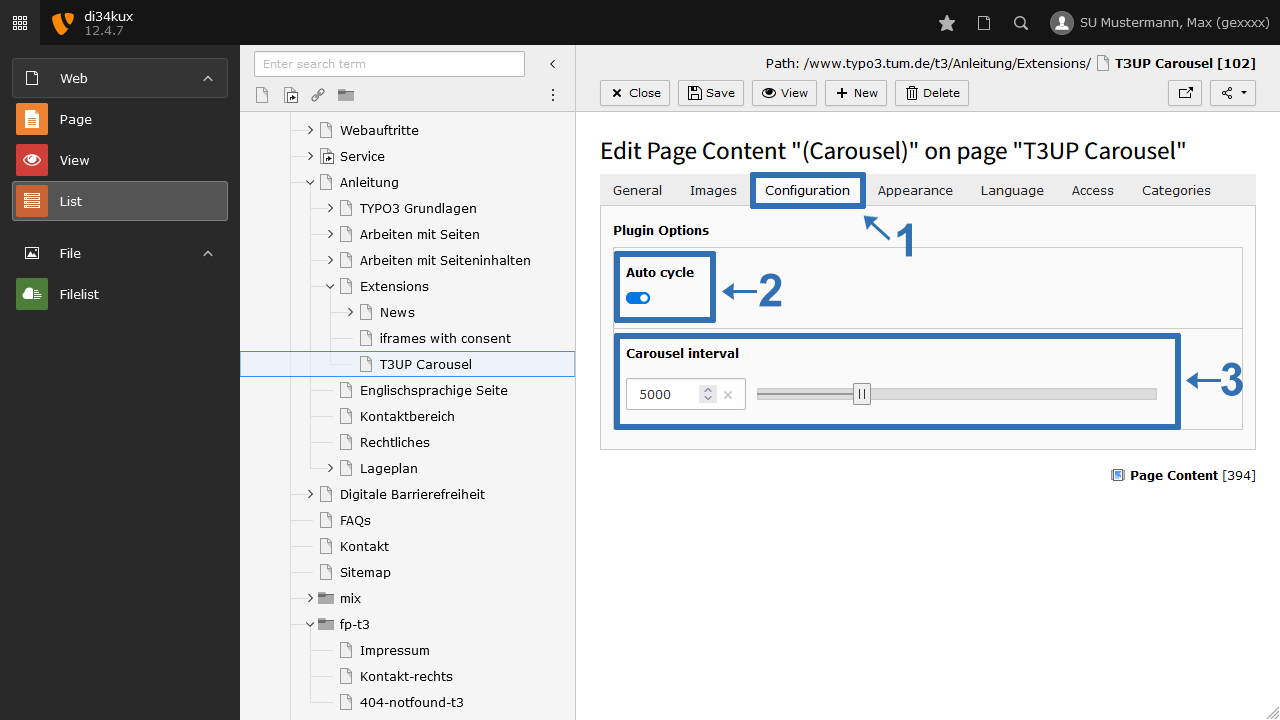
Screenshot: Tab "Configuration"
Image 4: Tab "Configuration"
  • By default, the slideshow starts automatically (Image 4 No. 2).
  • We have preset a smooth transition speed of 5000 ms between image changes. But you can also change the interval (Image 4 No. 3).

Example

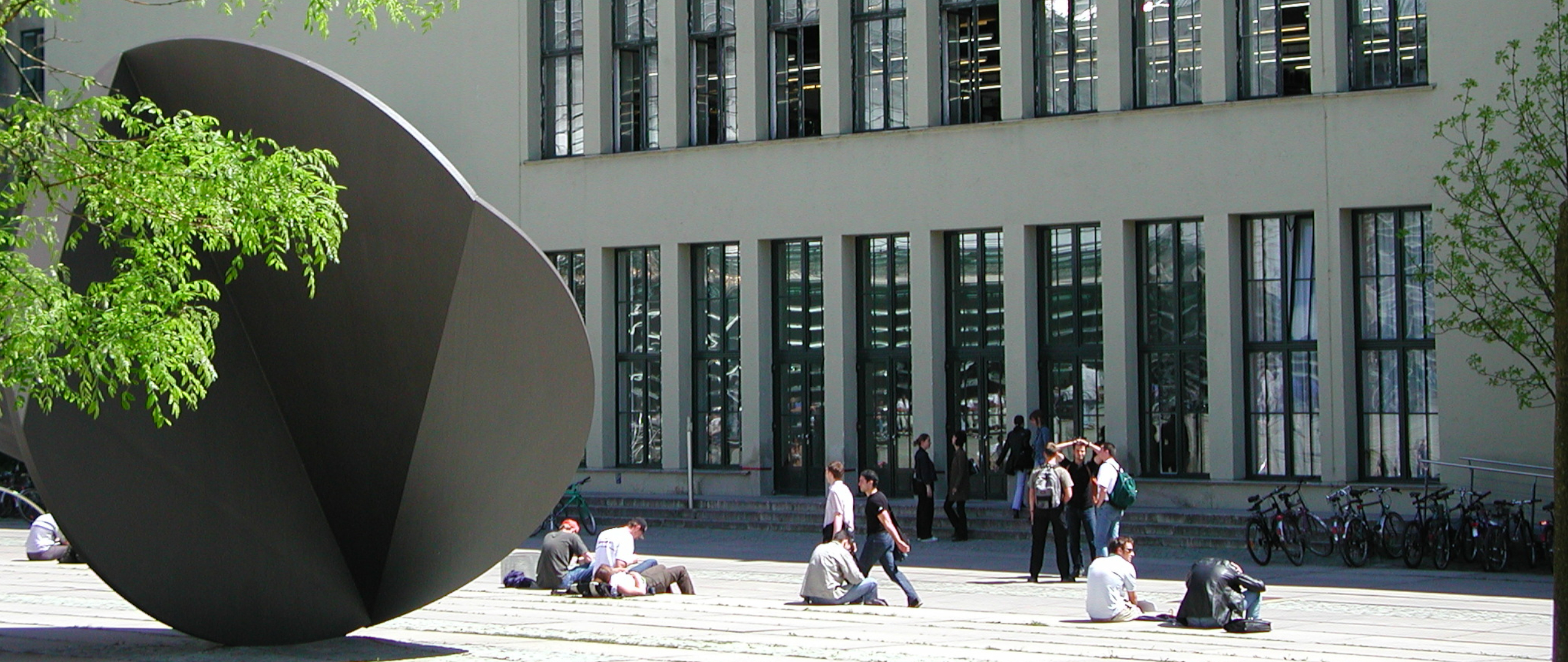
Studenten vor dem Haupteingang der TUM Arcisstr.

Title left

Description

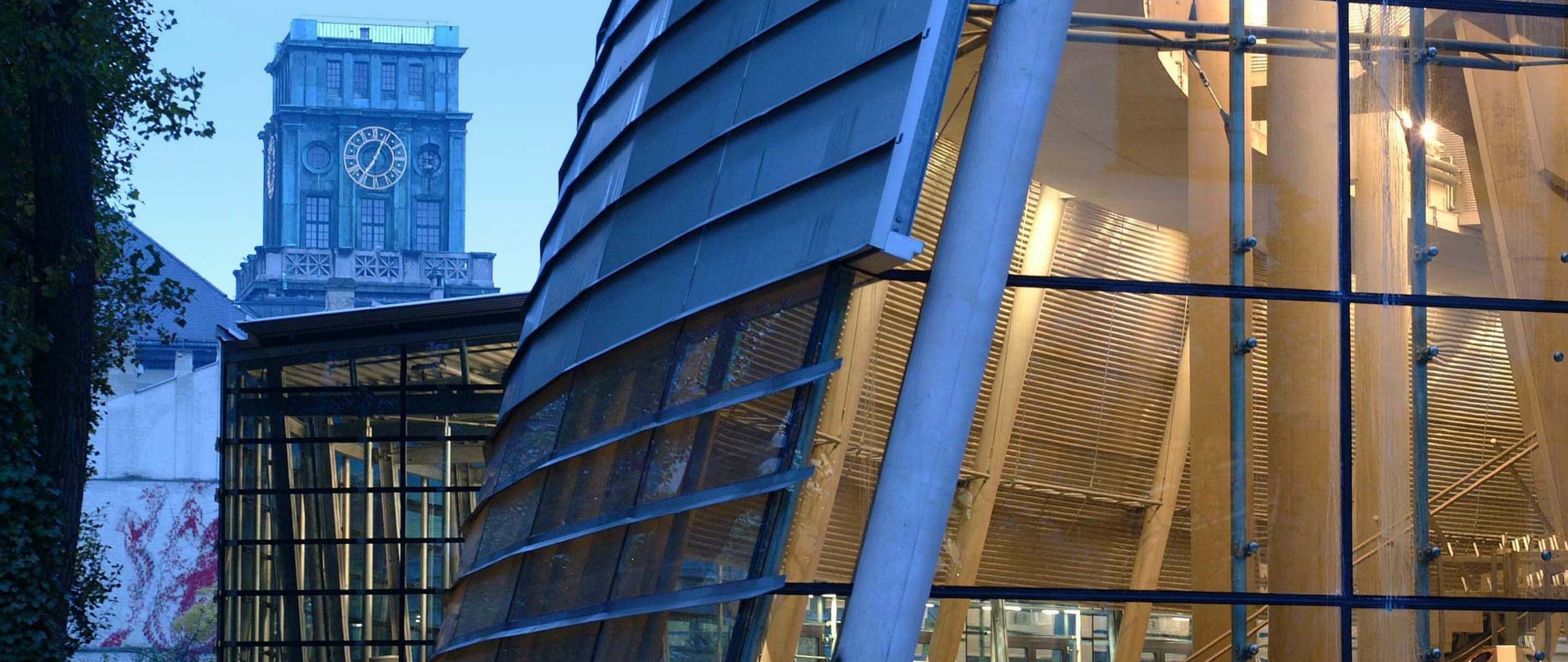
Adusimax; Blick auf den Uhrenturm

Title center

Description

Innenhof: Eingang Hauptcampus

Title right

Description

Haupteingang der TUM Arcisstr.
Slide 1 of 4
To top

TUM TYPO3 (ZIT)

Technical University
of Munich

Richard-Wagner-Str. 18
80333 München
typo3(at)tum.de

TYPO3 News

21.01.2026

New Security Concept - User Accounts

01.08.2025

We are in OTRS!

RSS Feed

  • Privacy
  • Imprint
  • Accessibility