Skip to content
  • Guide TYPO3
  • Login / Account
  • Functions / Extensions
  • Audio / Video
  • Terms of Use
  • FAQs
  • de
  • en
  • Central Information Technology (TYPO3-Team)
  • IT Service Center (ITSZ)
  • Technical University of Munich
Technical University of Munich
  • Home
  • News from TYPO3 Team
  • Webpool
    • Non-faculty institutions
    • TUM School of CIT
    • TUM School of ED
    • TUM School of LS
    • TUM School of MGT
    • TUM School of MH
    • TUM School of NAT
    • TUM School of SOT
    • TUM Graduate School (GS)
    • Integrative Research Institutes (IRI)
    • Technology Core Facilities (TCF)
    • Corporate Research Centers
    • Munich School of Politics and Public Policy
    • TYPO3 Web-Archive
  • Service
    • Offer
    • Terms of use
    • Requirement
  • Documentation
    • TYPO3 basics
      • Terms
      • Module bar
      • Page tree
      • Filelist
      • Recycler
    • User management
      • Registration and login
      • Permission concept
      • Groupdelegation
    • Pages
      • Page types
      • Create a page
      • Visibility
      • Order pages
      • Delete pages
      • Scheduled publishing
      • Page layout
    • Content elements
      • Page content types
      • Create Page content
      • Headers
      • Text & Media
        • Images
        • Image gallery
        • Slideshow
        • Alternative text for images
        • Image cropping
      • Audio & video
        • Embedding audio files
        • Embedding videos
      • Tables
      • File Links
      • Menu
      • Insert records
      • Rich Text Editor (RTE)
      • Adding links
        • Manage anchors
      • Spacing between content elements
      • Multi-column content
      • Accordion Functionality
      • Frames & Boxes
      • Social Media Box
    • Extensions
      • CurlContent
      • TUM MemberList
      • TUMcourses
      • TUMvCard
      • News
      • TUMFIS
      • T3UP Carousel
      • iframe with consent
    • English version
    • Contact area
    • Accessible content
    • Legal matters
    • Maps
      • Maps with Google Maps
      • Maps with BayernAtlas
  • FAQs
  • Contact
  • Sitemap
  1. Home
  2. Documentation
  3. Extensions
  4. T3UP Carousel

Extension T3UP Carousel

T3UP Carousel is an accessible, configurable slideshow.

Requirement

  • The slideshow requires at least 2 images (.png, .jpg, or .webp).
  • Create the images with the same width and height before uploading them to the website’s filelist.
  • For layouts with a right column, the maximum image width is 936 pixels.
  • For layouts without a right column, the maximum image width is 1176 pixels.
  • A maximum of 15 images can be added per slideshow.
  • For an intro page (e.g., www.typo3.tum.de/t3/intro/), images should be no wider than 2500 pixels and no higher than 750 pixels.
  • PDF files are not suitable for the slideshow.

This is how it's done

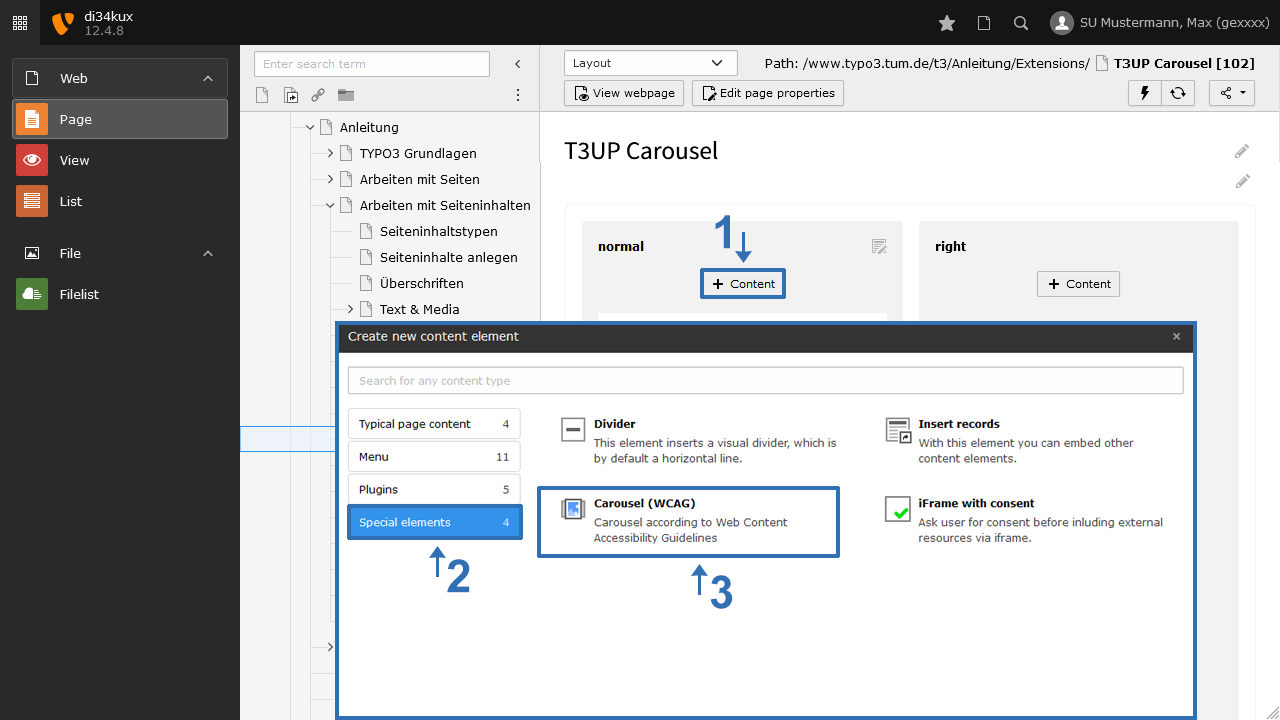
  • Create a new content element of type “Carousel” (Image 1).
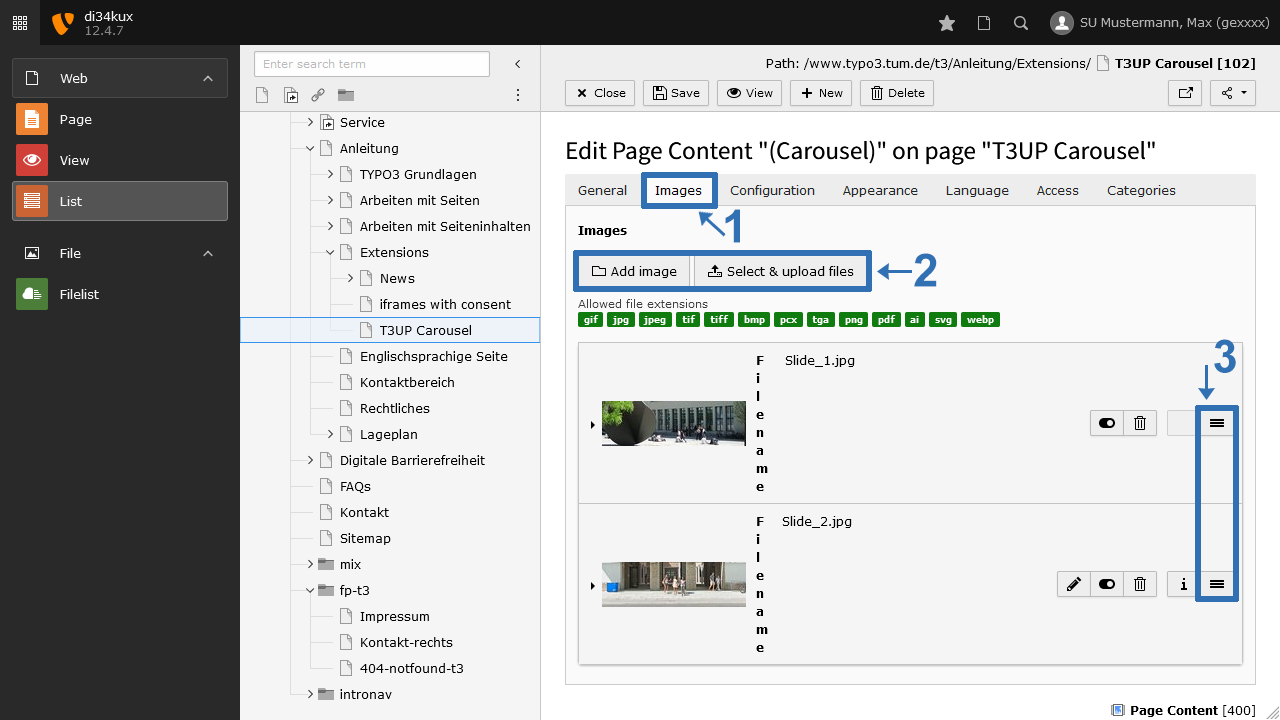
  • Now add the images. To do this, click "Add image" in the Images tab (Image 2 No. 2).
  • You can change the order of the images using drag & drop: Click and hold the handle (Image 2 No. 3) and drag the image to the desired position.
Screenshot: Content Element "Carousel"
Image 1: Content Element "Carousel"
Screenshot: Add Images
Image 2: Add Images

Add title and description

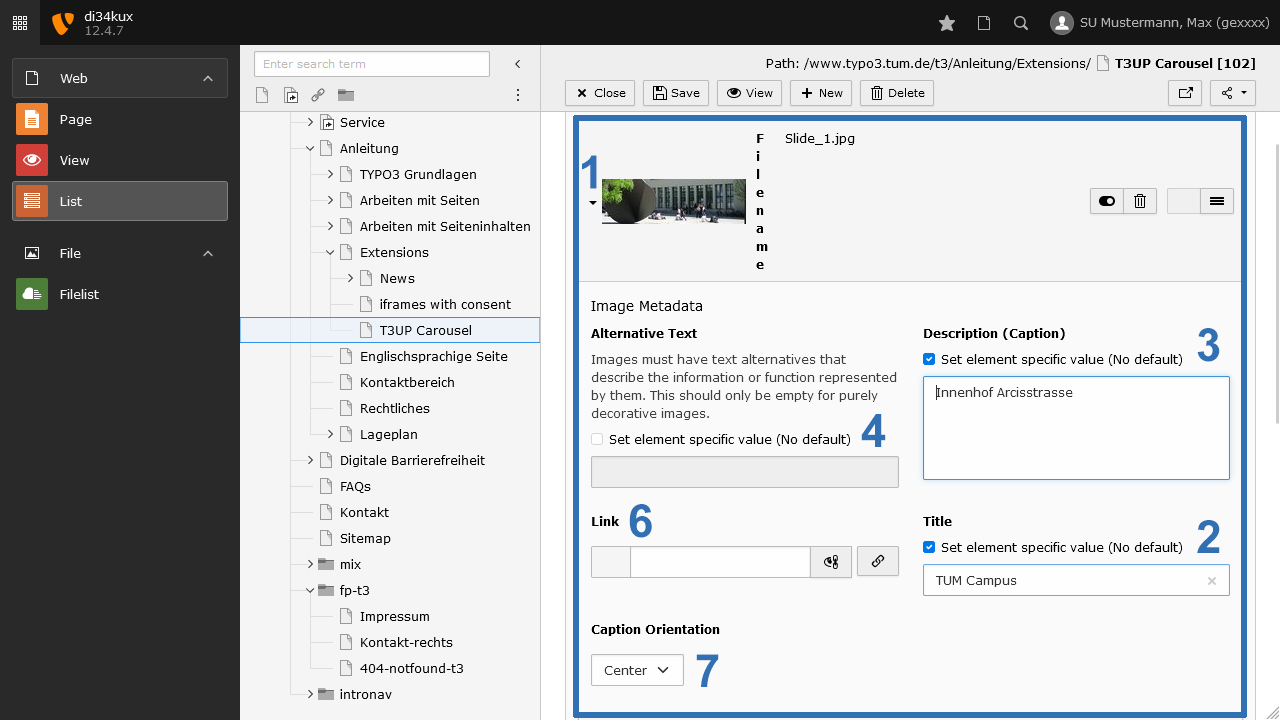
Screenshot: Image Metadata
Image 3: Image Metadata
  • If you enter a Title (heading) and a Description (text) (Image 3, No. 2+3), these texts will appear as image captions (see examples at the bottom of the page).
  • Please remember to fill in the alternative text for accessibility (Image 3, No. 4).
  • You can also set the text alignment (Image 3, No. 7).
  • You can assign an individual link for each image (Image 3, No. 6).

Plugin options

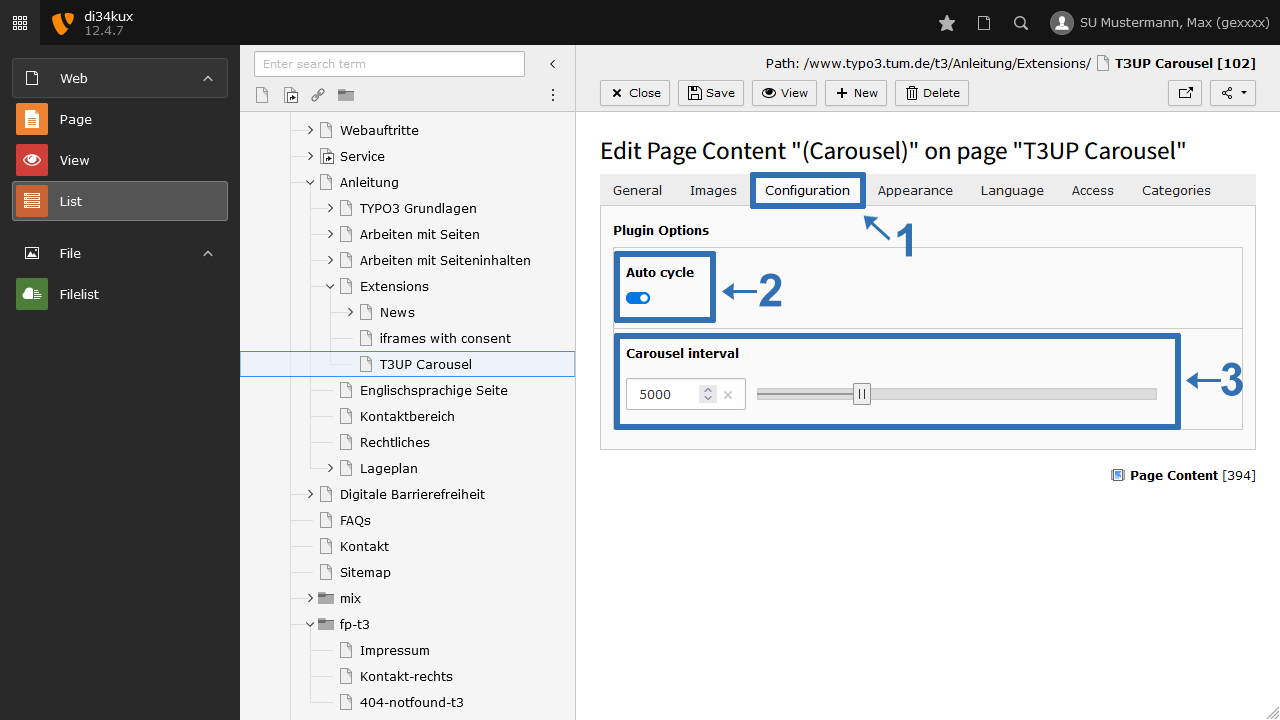
Screenshot: Tab "Configuration"
Image 4: Tab "Configuration"
  • By default, the slideshow starts automatically (Image 4, No. 2).
  • We have preset a smooth transition speed of 5000 ms between image changes. But you can also change the interval (Image 4, No. 3).

This is how it looks like

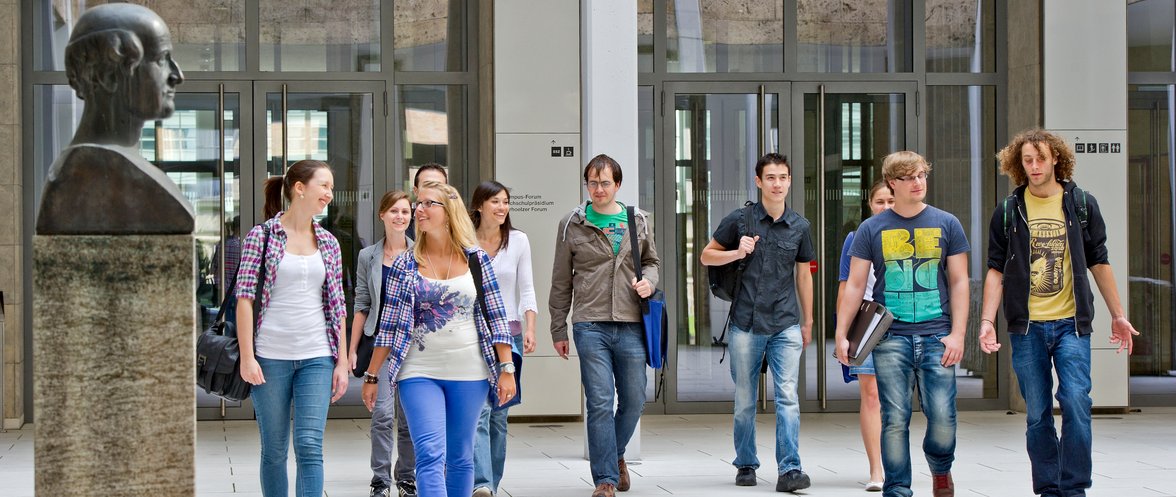
Studenten vor dem Haupteingang der TUM Arcisstr.

Title left

Description

Adusimax; Blick auf den Uhrenturm

Title center

Description

Innenhof: Eingang Hauptcampus

Title right

Description

Haupteingang der TUM Arcisstr.
Slide 1 of 4
To top

TYPO3 News

14.04.2026

TUMFIS is now available (Open Beta)

23.03.2026

Structured Data and JSON‑LD available

25.02.2026

New functions: Image cropping and Anchor links

21.01.2026

New Security Concept - User Accounts

01.08.2025

We are in OTRS!

RSS Feed

TUM TYPO3 (ZIT)

Richard-Wagner-Str. 18
80333 München
typo3@tum.de

  • Privacy
  • Imprint
  • Accessibility