Skip to content
  • Anleitung TYPO3
  • Login / Account
  • Funktionen / Extensions
  • Audio / Video
  • Dig. Barrierefreiheit
  • Nutzungsbedingungen
  • FAQ
  • de
  • en
  • Central Information Technology (TYPO3-Team)
  • IT Service Center (ITSZ)
  • Technical University of Munich
Technical University of Munich
  • Startseite
  • Webauftritte
    • Nichtfakultäre Einrichtungen
    • TUM School of CIT
    • TUM School of ED
    • TUM School of LS
    • TUM School of MGT
    • TUM School of MH
    • TUM School of NAT
    • TUM School of SOT
    • TUM Graduate School (GS)
    • Integrative Research Institutes (IRI)
    • Technology Core Facilities (TCF)
    • Wissenschaftliche Zentralinstitute (WZI)
    • Hochschule für Politik
    • TYPO3 Web-Archiv
  • Service
    • Scope
    • Terms of Use
    • Requirement
  • Documentation
    • TYPO3 Basics
      • Terms
      • Module bar
      • Seitenbaum
      • Filelist
      • Registrierung und Login ins Backend
      • Permissions concept
        • Groupdelegation
    • Arbeiten mit Seiten
      • Seitentypen
      • Seite anlegen
      • Seiten verbergen/sichtbar machen
      • Seiten sortieren/kopieren
      • Seiten löschen
      • Seite zeitsteuern
      • Seiten-Layout ändern
    • Arbeiten mit Seiteninhalten
      • Seiteninhaltstypen
      • Seiteninhalte anlegen
      • Überschriften
      • Text & Media
        • Bilder
        • Bildergalerie
        • Slideshow
        • Alternativtexte für Bilder schreiben
      • Audio & Video
        • Audiodateien einbinden
        • Video einbinden
      • Tabellen
      • File Links
      • Menu
      • Insert Records
      • Rich Text Editor (RTE)
      • Links setzen
      • Abstand zwischen Inhaltselementen
      • Mehrspaltiger Content
      • Akkordeon-Funktion
      • Rahmen & Boxen
      • Social Media Box
    • Extensions
      • CurlContent
      • TUM MemberList
      • TUMcourses
      • TUMvCard
      • News
      • iFrame with consent
      • T3UP Carousel
    • Englischsprachige Seite
    • Kontaktbereich
    • Legal Matters
    • Maps
      • Maps with Google Maps
      • Maps with BayernAtlas
  • Digital accessibility
    • Quick Start for Editors
    • Leichte Sprache
  • FAQs
  • Contact
  • Sitemap
  1. Startseite
  2. Documentation
  3. TYPO3 Basics

TYPO3 Basics

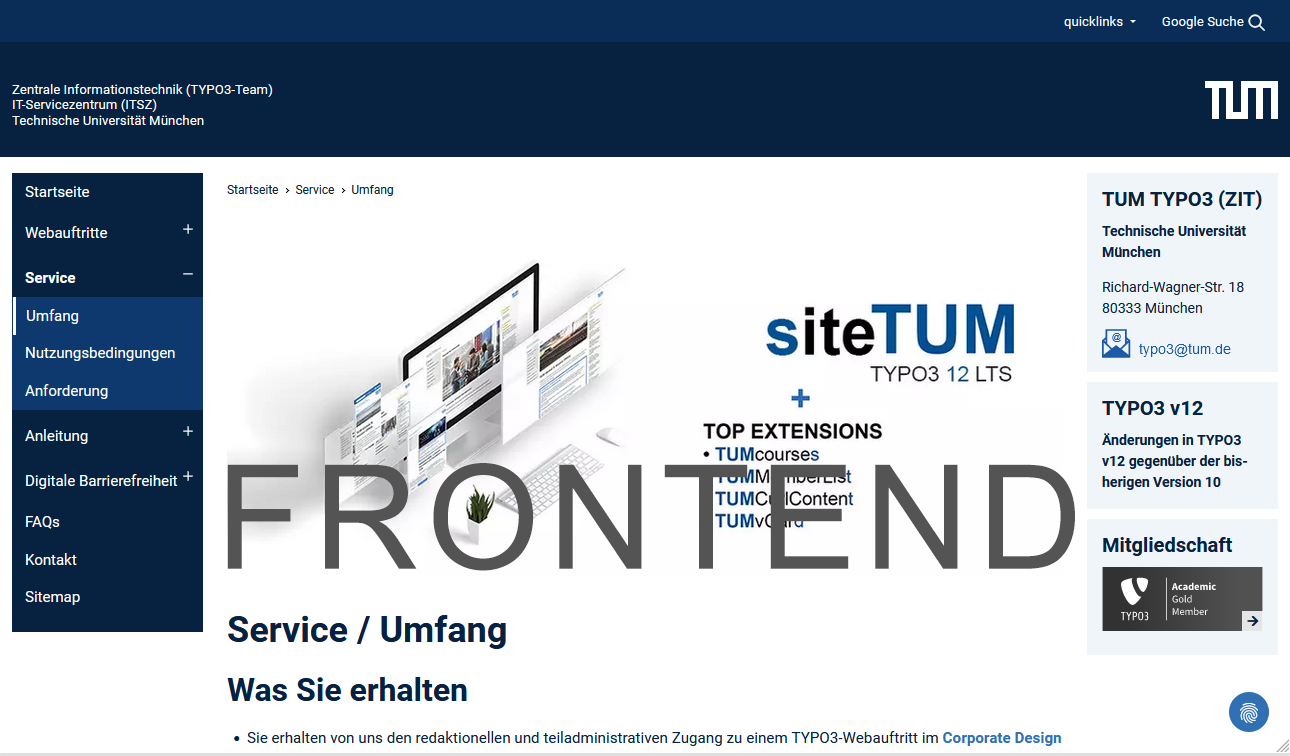
Frontend

Screenshot: Frontend
Picture 1: Frontend

The Frontend (FE) is the website as seen by visitors.


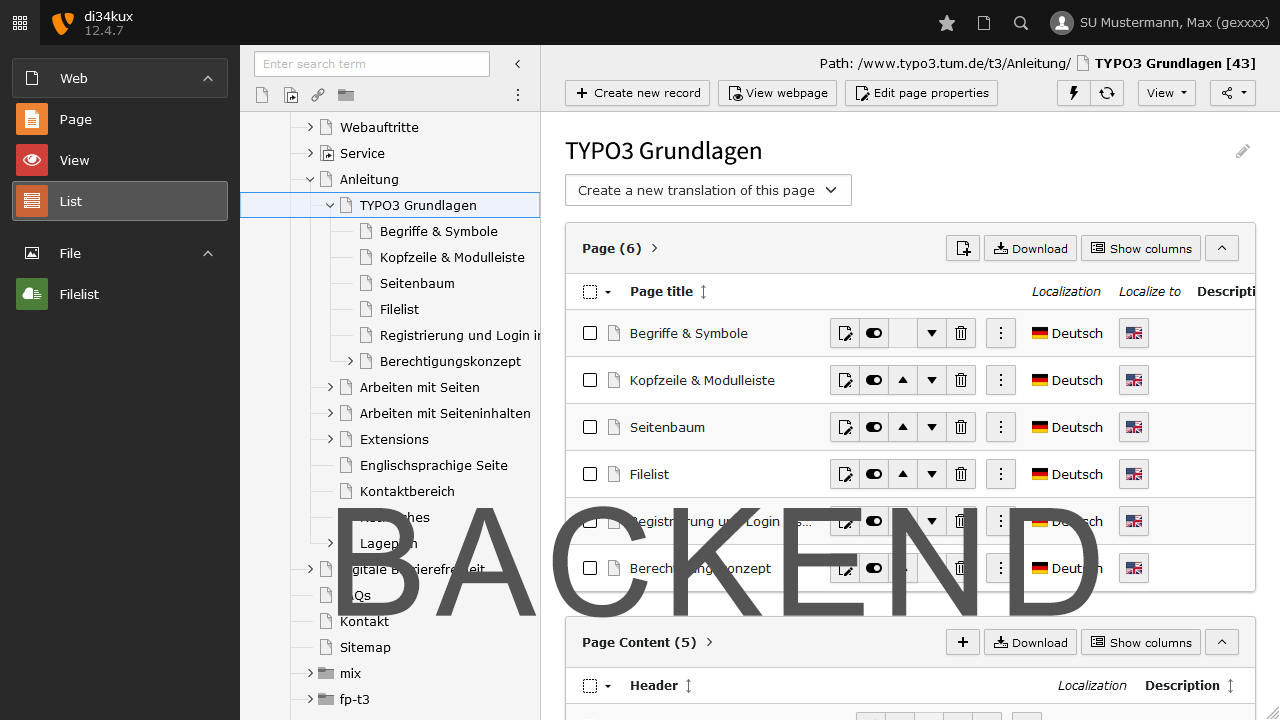
Backend

Screenshot: Backend
Picture 2: Backend

The website is managed and edited in the TYPO3 Backend (BE). Here, the administrator can manage the website and editors can add and edit content without any knowledge of HTML. The backend can be accessed via your browser by adding “/typo3” to the URL of your website.

www.your-website.tum.de/typo3/

Example: Backend-Login Chair of Architectural Informatics

Frontend: www.arc.ed.tum.de/ai/
Login über: www.arc.ed.tum.de/typo3/

Working in the backend requires authentication with a username and password. You can find more information on this on the Registration and Login page.

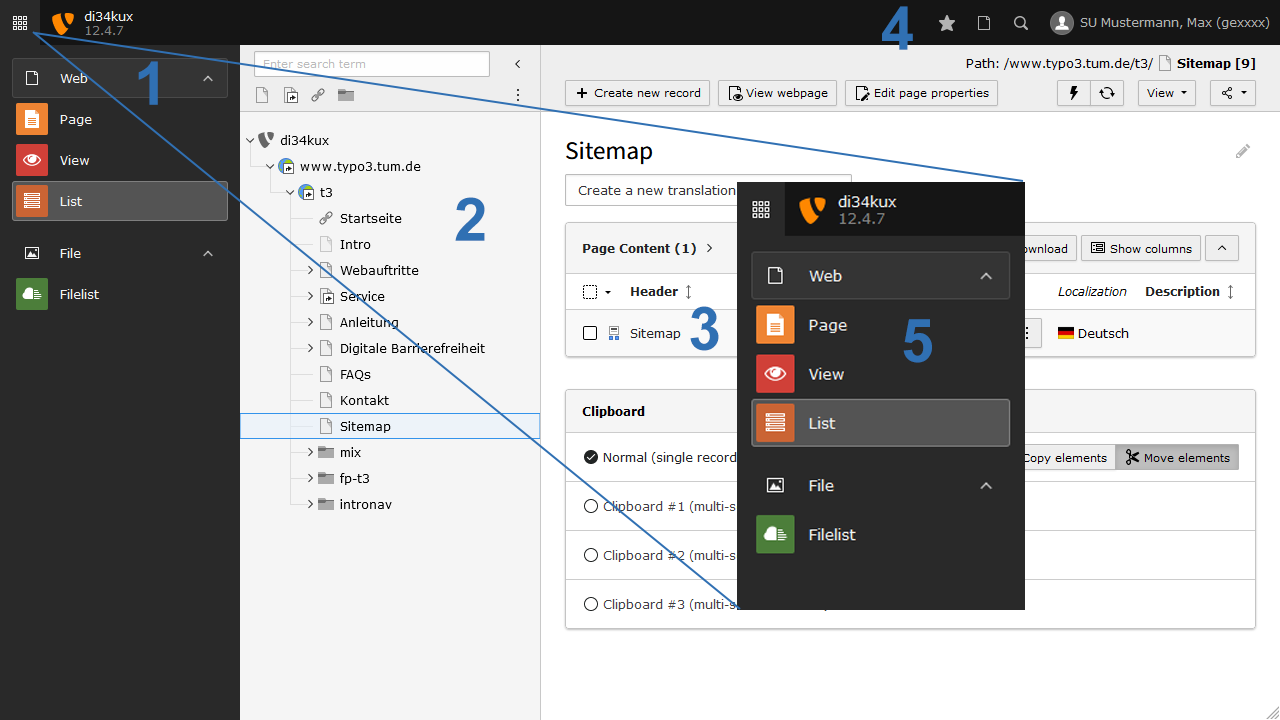
Introduction to the TYPO3 backend

Screenshot: Introduction to the TYPO3 backend
Picture 3: Introduction to the TYPO3 backend

The backend is divided into three columns:

  1. Module bar (Picture 3 No.1)
  2. Page tree (Picture 3 No.2)
  3. Content area (Picture 3 No.3)

Above the three columns (Picture 3 No.4) you find the header bar. You can use the two icons (Picture 3 No. 5) to expand or collapse the module bar or the page tree.

To top

TUM TYPO3 (ZIT)

Technical University
of Munich

Richard-Wagner-Str. 18
80333 München
typo3(at)tum.de

Information

We are in OTRS. Your support requests are processed as tickets, just as you are familiar with from IT support. Feel free to continue reaching out to us via email at typo3(at)tum.de.

Membership

TYPO3 Academic Gold Member
  • Privacy
  • Imprint
  • Accessibility