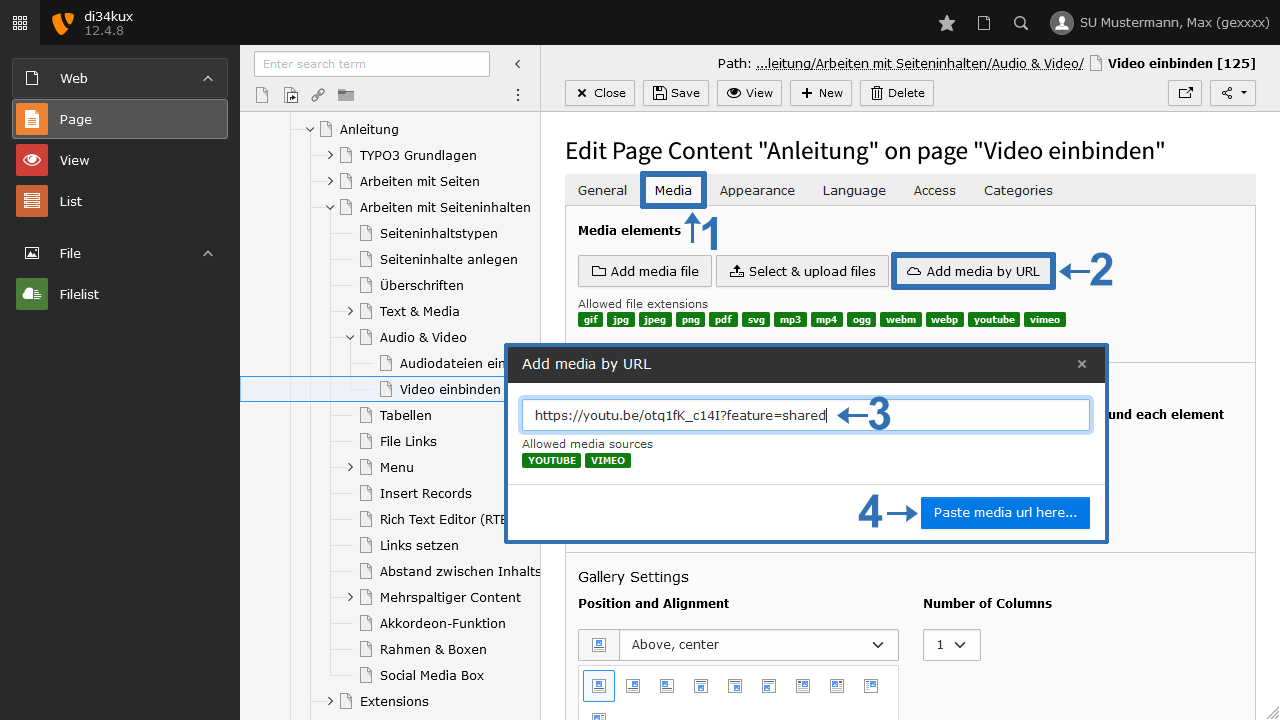
Click on the Media tab and select the "Add media by URL" button. Paste the copied address (Image 2). The reference to the video will appear in the file list with the file extension .vimeo or .youtube in the "_my_direct_uploads" folder.
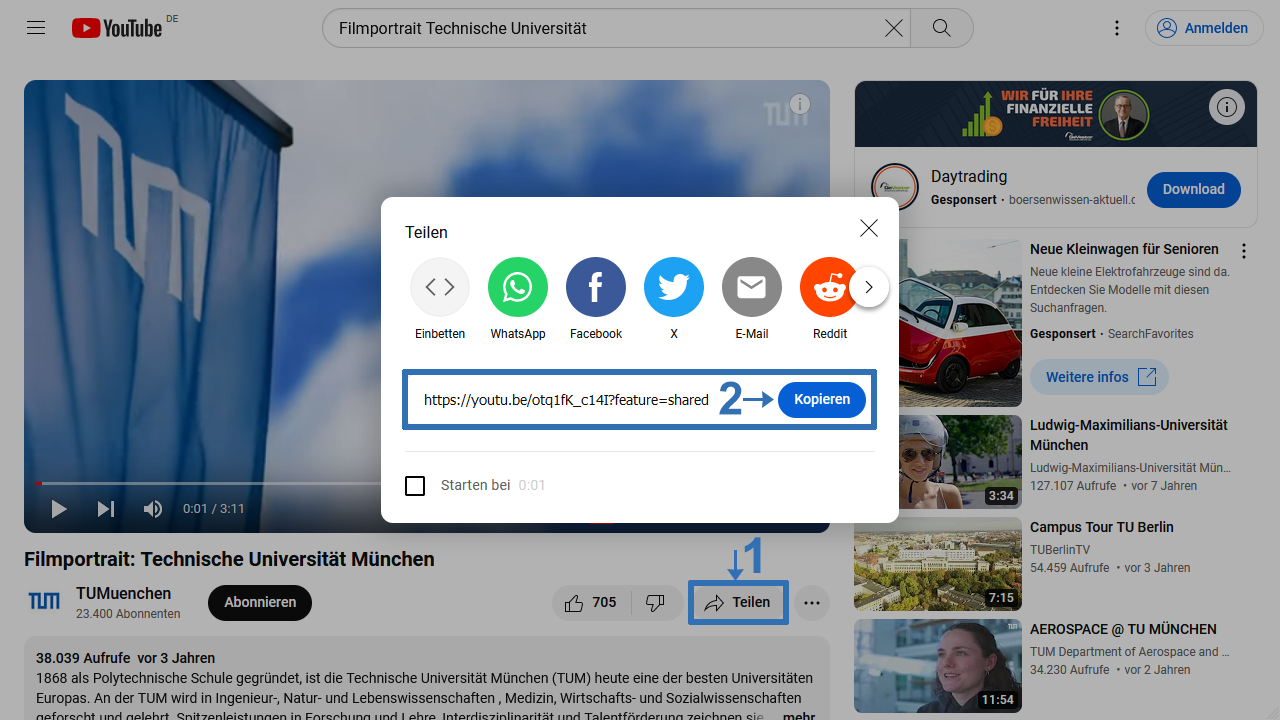
Image 1: Browser window with YouTube link
Image 2: Add media by URL
Additional settings
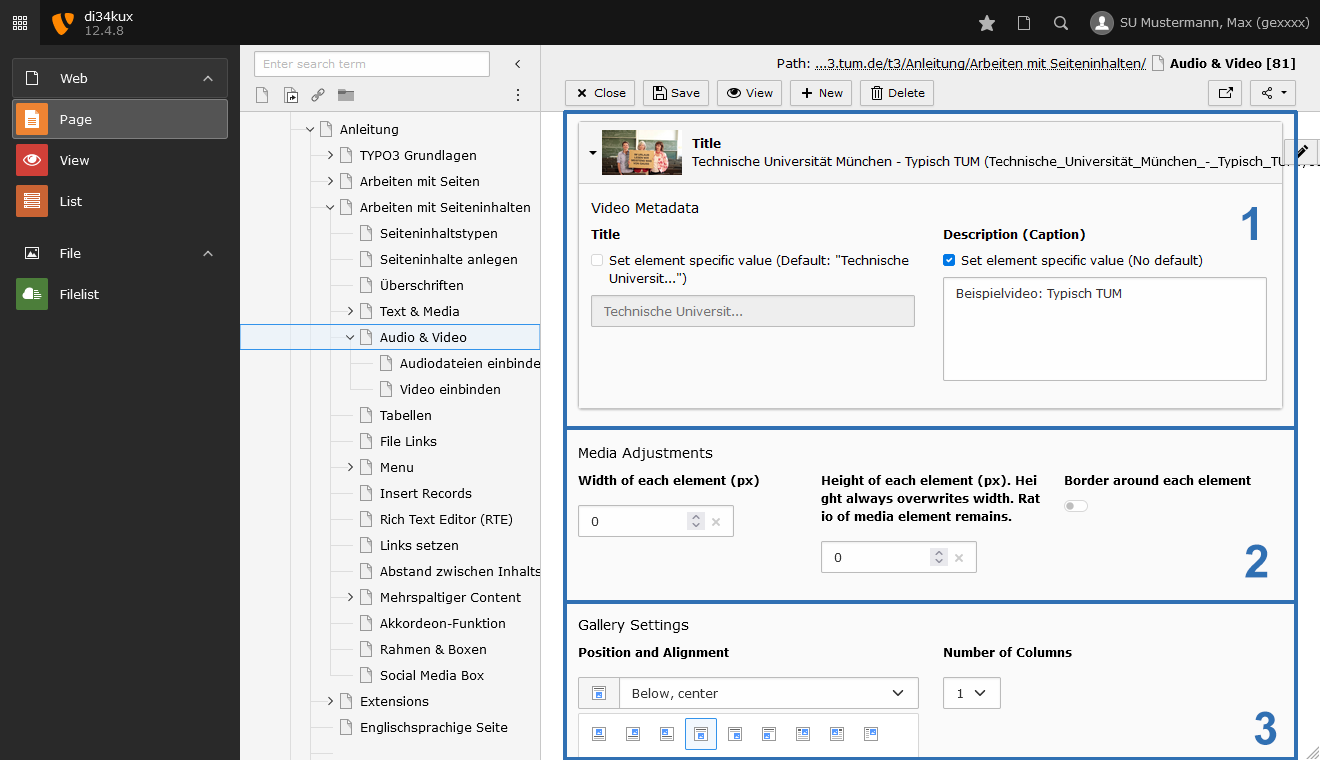
Image 3: Additional settings
You can enter a title and a description (caption) (Image 3 No. 1). When embedding the video, the title is automatically taken from YouTube or Vimeo.
You can specify the size and position (Image 3 No. 2 & 3) of the video. The width is dynamic and automatically adjusts to the available space. If you want to set a specific size, please only enter the width.
Sie können einen Title und eine Description (Caption) eintragen (Bild 3 No.1). Beim Einbinden des Videos wird der Title automatisch von Youtube oder Vimeo übernommen.