
Embed audio files
You can embed audio files using the “Text & Media” content element. To do this, the audio files must be uploaded to the file list of your TYPO3 instance.
Insert audio file
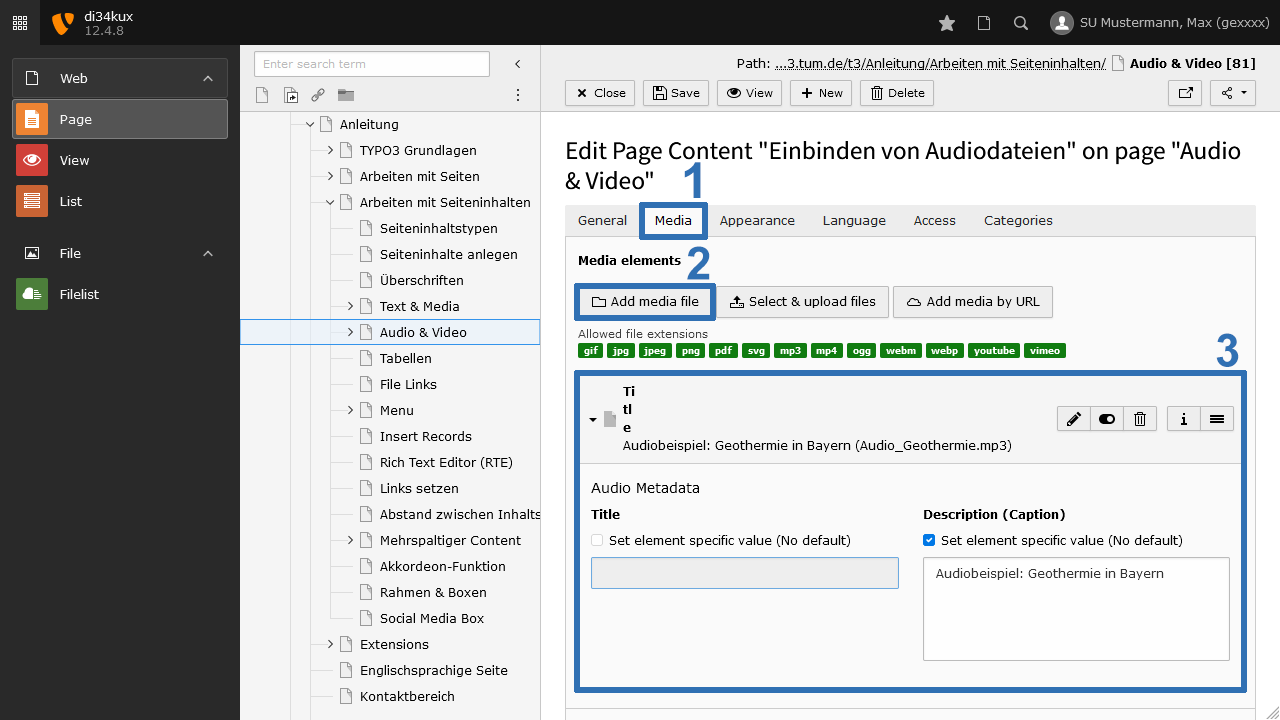
- Create a Text & Media Element.
- Select the audio file from your file list. The allowed file formats are MP3, MP4, Ogg, and WebM.
- If you include multiple audio files in a content element, arrange them vertically, as this can prevent display issues (overlapping) on smaller screens. The appearance of the control element depends on the browser used and cannot be influenced in terms of height and width.